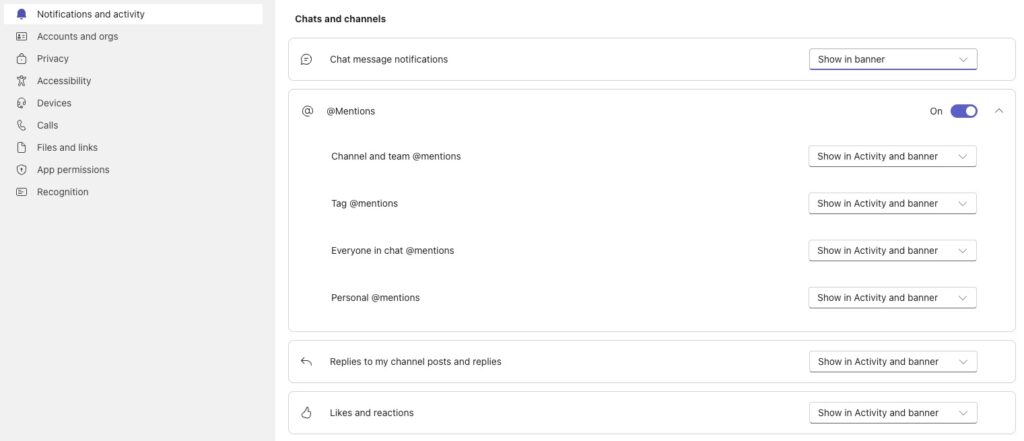
Unless you are ‘@’ mentioned on a new Teams conversation inside a channel, you will not be notified of the new post. Here’s how to enable notifications:
- Go to the specific channel you want to monitor.
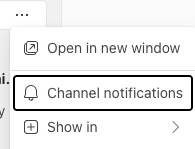
- Click the … (More options) menu next to the channel name, or click the channel name directly.
- Select Channel notifications.
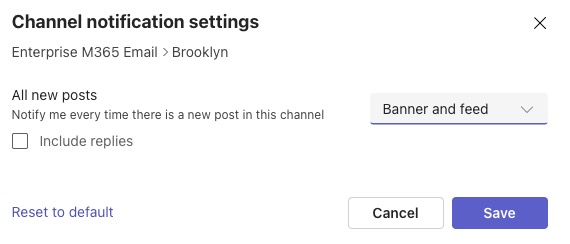
- In Channel notification settings select All new posts then select Banner and feed to receive alerts for all new posts in the channel.
I have channel notifications enabled, but I’m still not receiving notifications
Check your global Teams settings (Main menu > Settings) and check your Notifications and activity settings. Notifications should be enabled for @Mentions and Replies.