
1. Home
  2. Technology
  3. Microsoft 365
  4. Multi-Factor Authentication
  5. How do I add a new multi-factor verification option to my Microsoft 365 account?
  1. Home
  2. Technology
  3. Email
  4. Email Safety & Security
  5. How do I add a new multi-factor verification option to my Microsoft 365 account?

How do I add a new multi-factor verification option to my Microsoft 365 account?

  1. Sign in to your Microsoft 365 Security Info page: https://aka.ms/mysecurityinfo
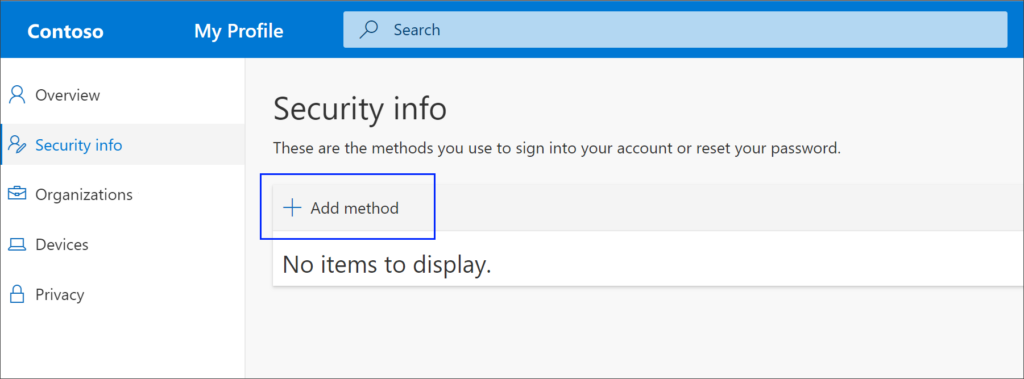
  2. Select Add method in the Security info pane.
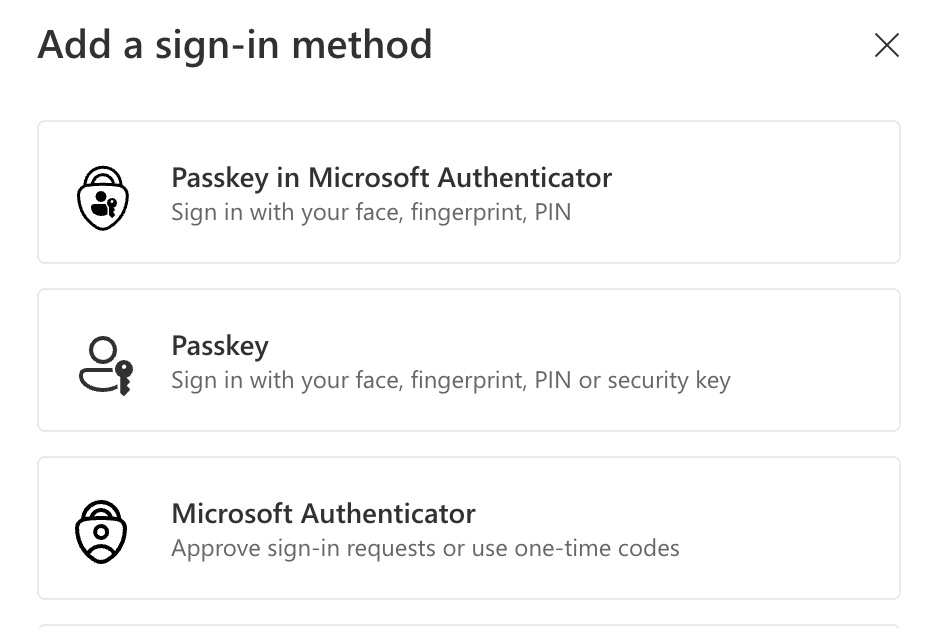
  1. On the Add a method page, select Authenticator app from the list, and then select Add. You can use Authenticator apps (e.g. Google Authenticator, Microsoft Authenticator) or passkeys.
Related Articles