
Knowing the available technology tools and systems is an important part of working at Brooklyn College. Here are a few important things to know when getting started:
Your two main accounts
There are two main accounts you need to know: CUNY Login, WebCentral ID. These accounts are used to access all of the core CUNY and Brooklyn College applications and services.
□ Claim your CUNY Login
Use your CUNY Login to access important systems like CUNYfirst, Employee Email, Microsoft 365, Brightspace, Library Research Tools, and more.
Get Started
□ Create your WebCentral ID
Your WebCentral ID gives you access to important local Brooklyn College apps and services, like your Digital ID, class rosters with photos, and other administrative tools.
Get Started
□ Connect to your college email account
Your Brooklyn College email account is used for all official communications from Brooklyn College and CUNY and should be used for any communications that you send to students, faculty, and staff.
Get Started
□ Connect your device to BC Wi-Fi
Secure Wi-Fi is available throughout the campus: in buildings, classrooms, and on the quads. For in-person assistance with Wi-Fi, bring your device to the WEB computer lab or call the IT Helpdesk.
Get Started
□ Download the BC Navigator mobile app
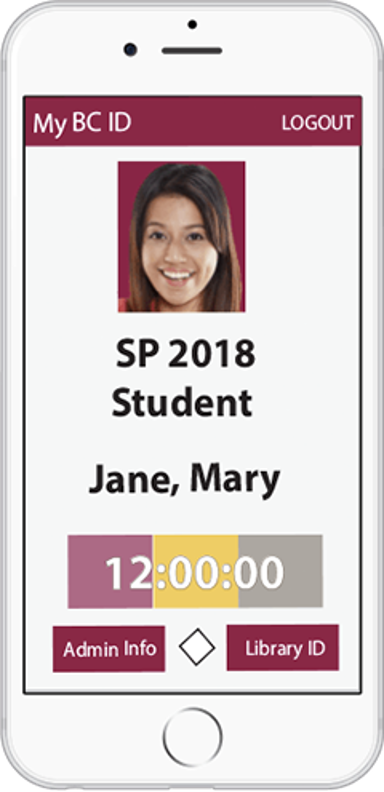
BC Navigator is the official mobile app of Brooklyn College. Use it to access your Digital ID and other resources on your mobile device.
- Sign in with your WebCentral ID.
- Access your Digital ID
- View your class rosters.
□ Bookmark BC Knowledge
This website (BC Knowledge for Employees) provides helpful information and guides on all the technology tools and services available at Brooklyn College. Bookmark employees.brooklyn.edu and the convenient Employee Portal page, which has links to the most commonly used apps and tools.
□ Learn about the CUNY Cloud productivity tools
CUNY offers a growing collection of powerful cloud tools to all employees, including the complete Microsoft 365 suite, Teams, Zoom, Dropbox, and more. Learn more about the CUNY Cloud tools.
Also check the Getting Started with CUNY Technology Tools playlist on LinkedIn Learning for training courses on popular tools.
□ Sign in to LinkedIn Learning
Sharpen your skills with your free CUNY LinkedIn Learning account. Access a large library of self-paced video courses taught by industry professionals. Whether you’re looking to fine-tune professional skills or simply learn something new, LinkedIn Learning is a great resource you won’t want to overlook. Students also have access, so you can share helpful courses with them.
Get Started
For Faculty Members
Review the Faculty Info category for information on Smart Classrooms, software licenses, Brightspace, research tools, and Library services.
Brooklyn College also has local services for:
- Viewing your teaching schedule & rosters (with photos)
- Managing your faculty profile
- Posting your syllabus
- Multiple position reporting
For Advisors
If you advise students, you will likely need to use EAB Navigate and DegreeWorks. You can access both of these applications using your CUNY Login.
Need Help?
The IT Helpdesk can assist you with accessing and troubleshooting most hardware, software, and web applications at Brooklyn College. Academic Information Technologies (AIT) can assist with instructional software and training.
There’s so much more …
Learn more about all of the technology tools and services available to Brooklyn College faculty and staff.